01 / AT HOME
Fountain Creek Estates
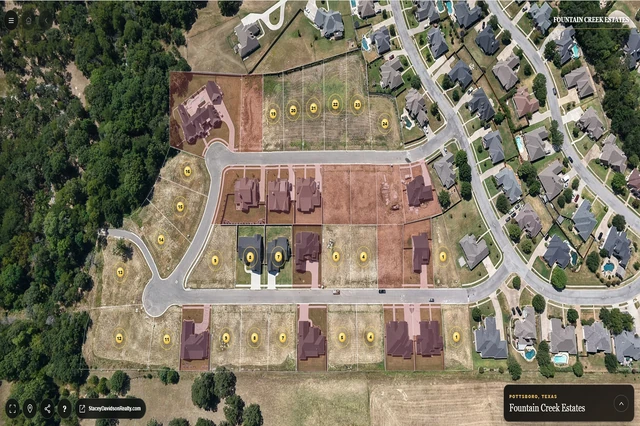
Get a feel for the community’s streets, homesites and aerial views. Open the homesite map to explore property details and available media.
Fountain Creek Estates · Pottsboro, Texas
NOW IN VIRTUAL REALITY
Step inside Fountain Creek. Explore the community, Pottsboro and Lake Texoma—with the scene all around you.
No headset? No problem. Use your phone or computer for the standard 360° tour.


01 / THE EXPERIENCE
On a phone or computer, you move the panorama on a flat screen. With a compatible VR headset, the 360° scene surrounds you.
Turn your head to look around. Point to a destination, select it, and explore somewhere new. That’s the idea.
No Fountain Creek app to install. Open the same tour in your headset’s web browser.
02 / THREE SIMPLE STEPS
Get comfortable in a clear, safe space. Explore at your own pace.
Put on your headset and open fountaincreekestates.com/tour/ in its web browser.
On supported hardware, the ENTER VR option appears. Select it and allow the headset’s VR request if prompted.
Follow the short first-visit introduction, then choose START EXPLORING. Turn your head and select the places you want to see.
On a regular phone or computer, choose START for the standard 360° experience. A headset is never required.
03 / WHAT YOU’LL DISCOVER
Start at Fountain Creek, then follow the tour into town and out toward the lake.
Get a feel for the community’s streets, homesites and aerial views. Open the homesite map to explore property details and available media.

Look beyond the neighborhood. Explore town aerials, school-campus views and North Texas Regional Airport through the connected tour.
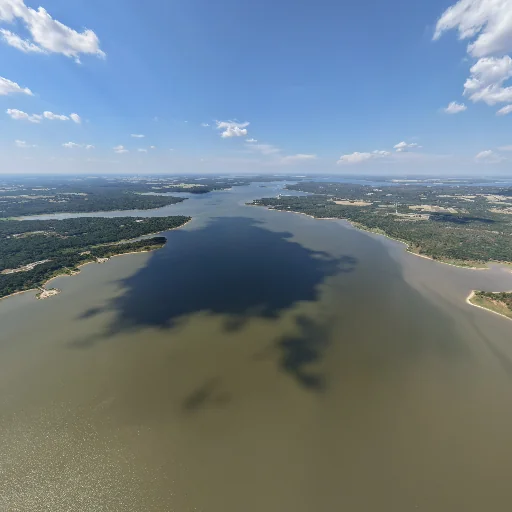
Trade the streets for shoreline scenery. Discover lake destinations, marina views and recreation areas at your own pace.
Community photographs and tour aerials—not headset screenshots. Branded headset artwork is illustrative.
04 / YOU’RE IN CONTROL
Point the controller’s beam at an orb or button, then press its trigger to select. With supported hand tracking, point and pinch to select. Simply looking at a place does not take you there.
The compact navigation menu gently follows as you turn. It holds still while you aim at its controls.
There’s no rush. Take breaks whenever you like, and use Exit VR whenever you want to leave.
05 / READY FOR A CLOSER LOOK
The Fountain Creek immersive VR experience has been physically tested on Meta Quest 3.
Open the tour in the headset browser and choose ENTER VR when it appears. Other compatible headsets may work; compatibility is not guaranteed.
No Meta certification or endorsement is implied. If VR isn’t available, the standard 360° tour is still yours to explore.
FOUNTAIN CREEK ESTATES · NOW IN VIRTUAL REALITY
Explore Fountain Creek in 360°. Step into Virtual Reality when you’re ready.
Start tourUse your phone, computer, or VR headset.